
Skip to content
photoenhancer.coEnhance a photo

Unblur Image OnlineSoft photos, sharp again

Fix photos that came out soft: slightly out of focus shots, images that were resized too small, and pictures saved from chats. The AI rebuilds edges, then a gentle sharpen brings them forward.

Free · No sign-up · No watermark · Runs on your device · Many photos? Use bulk mode

Drop a blurry photo

or paste it (Ctrl/⌘ + V). JPG, PNG, WebP, AVIF.

No photo handy? Try one:

Private: your photo is enhanced on this device and never uploaded.

How to unblur an image

  1. 1

    Add the blurry photo. It never leaves your device.

  2. 2

    The tool enhances at 2× with the Fine detail model and adds sharpening. Raise Sharpness or Clarity if you want more bite.

  3. 3

    Compare with the slider and download. Choose 1× if you need the original size.

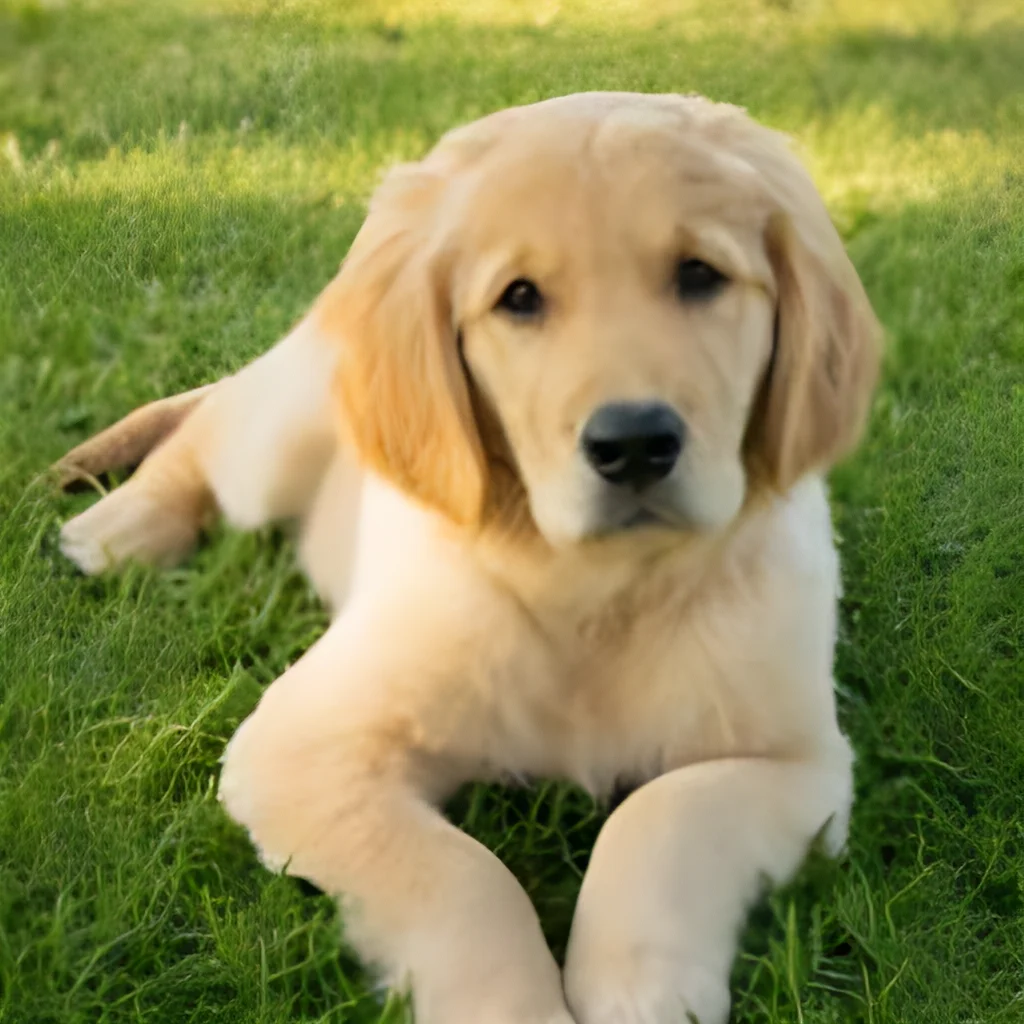
Blurry puppy photo unblurred with AI
BeforeAfter
Real output: Soft 256 × 256 photo → 1024 × 1024, sharpened

What kind of blur can be fixed

Most blurry photos are soft rather than smeared: the camera focused slightly off, the image was downscaled, or a messaging app compressed it. That kind of blur responds very well to AI enhancement, because the network was trained on exactly these degradations (soft focus, resizing and compression) and learned to reverse them.

Strong motion blur, where a moving subject left a streak, is harder. The tool will make edges cleaner and the photo will look better, but it cannot reconstruct a face that was smeared across a hundred pixels. Be wary of any tool that claims otherwise: it is inventing a new face, not recovering yours.

Unblur vs. sharpen

A classic sharpen filter only increases contrast along edges that already exist. On a blurry photo that creates halos and makes noise worse. AI unblurring first predicts the missing detail, then our Sharpness slider adds a light unsharp mask on brightness only, so you get crisper edges without color fringes.

Curious about the technology? Read how PhotoEnhancer works or what AI upscaling is.

Unblur image FAQ

Can AI really unblur a photo?

It can fix mild to moderate blur from soft focus, resizing and compression very well. Severe motion blur improves but won't become perfectly sharp, because the information isn't in the photo anymore.

Will it make my face look different?

No. PhotoEnhancer uses a general restoration model that sharpens what is there. It does not paste a generated face over yours, which is what some face-beautifying apps do.

What's the best setting for a blurry phone photo?

Fine detail at 2× with Sharpness around 50 works for most phone shots. If the photo is also grainy (taken indoors or at night), switch to Balanced or Clean.